10 ChatGPT prompt examples you can copy and paste (they work in Claude and Gemini too)
Ten copy-paste ChatGPT prompt examples for email, meetings, resumes, PDFs, spreadsheets, lesson plans, complaints and travel — each using the 5-part formula. Works in Claude, Gemini and Grok too.
In this guide (11 steps)
- 1. Rewrite a blunt email (keep your meaning)
- 2. Draft a reply from a one-line intent
- 3. Meeting notes → summary + action items
- 4. Tailor a resume bullet to a job post (no invented experience)
- 5. Summarize a long PDF or article with citations
- 6. Excel / Sheets formula from a plain-English ask
- 7. Lesson plan outline for a class
- 8. Calm complaint or bill-negotiation email
- 9. Day-by-day trip itinerary (mark what to verify)
- 10. Brainstorm then pick (so you don't get 40 mediocre ideas)
- How to use these without getting generic answers
Want the formula applied for you? 122 ready-made prompts organized by task, ready to print or keep offline. One-time $7, 30-day refund.
Get the full pack for $7 →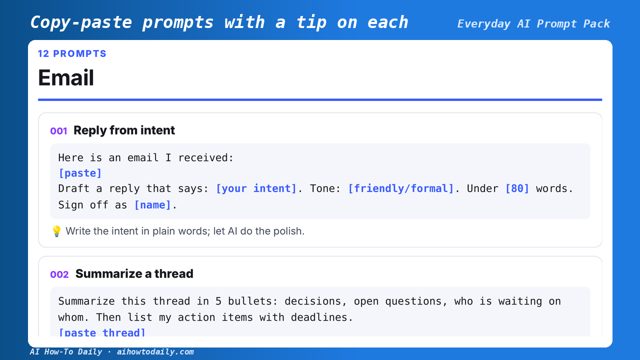
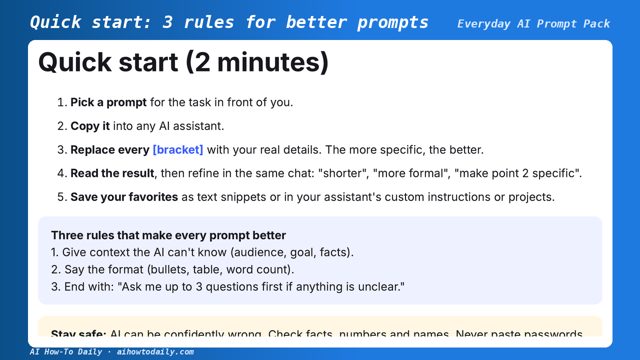
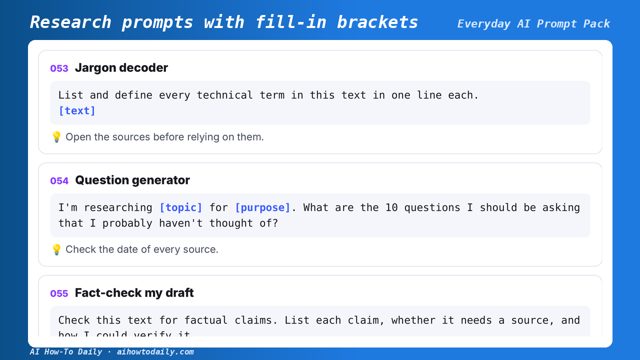
👀 Real pages from the PDF. Free 3-page sample (PDF, no email needed). The buy button opens Gumroad's secure checkout for “Everyday AI Prompt Pack: 122 Copy-Paste Prompts” ($7); the download link arrives right after you pay.
Looking for ChatGPT prompt examples you can paste today? Below are 10, each built with the same 5-part formula (role, task, context, format, constraints). They work in Claude, Gemini and Grok too — swap the app, keep the structure. Edit the bracketed bits; don't send private passwords, account numbers or health details.
New to prompting? Read the short 5-part formula guide first (2 minutes), then come back and copy these.
1. Rewrite a blunt email (keep your meaning)
You are a clear, friendly workplace writer.
Task: rewrite the email below so it stays direct but sounds calm and professional.
Context: I'm writing to [who] about [topic]. Goal: [what I want them to do].
Format: subject line + email body under 120 words, one clear ask at the end.
Constraints: keep my facts exactly; don't add apologies I didn't make; no buzzwords.
Before you start, ask me up to 2 questions if anything important is missing.
[paste draft]2. Draft a reply from a one-line intent
You are my email assistant.
Task: draft a reply to the message below.
Context: my intent in one line: [e.g. agree to Tuesday 3pm, ask for the agenda].
Relationship: [coworker / client / manager]. Tone: [friendly / firm].
Format: under 100 words, greeting + 2 short paragraphs + sign-off as [name].
Constraints: don't invent availability, prices or promises I didn't state; use [ASK ME] if a detail is missing.3. Meeting notes → summary + action items
You are a precise meeting scribe.
Task: turn the raw notes below into a summary.
Format: (1) 3-sentence overview (2) decisions made (3) action items as a table: task | owner | due date (4) open questions.
Constraints: write "unclear" instead of guessing owners or dates; don't invent decisions.
[paste notes or transcript]4. Tailor a resume bullet to a job post (no invented experience)
You are an honest resume coach.
Task: rewrite 5 of my bullets to better match this job post.
Context: job post: [paste]. My real bullets: [paste].
Format: bullet | why it fits the post (one line).
Constraints: use only skills and results I already wrote; never invent titles, numbers or tools; mark [ADD A NUMBER] where a real metric would help if I have one.5. Summarize a long PDF or article with citations
You are a careful research assistant.
Task: summarize the text below for [audience].
Format: 5 key points, each with a short quote or section reference; then 3 risks or limitations the author admits; then a 3-sentence plain-English summary.
Constraints: use only this text; write "not in the document" if something is missing; don't invent statistics.
[paste text or attach file if your plan allows]6. Excel / Sheets formula from a plain-English ask
You are a spreadsheet tutor.
Task: give me a formula for [Excel / Google Sheets].
Context: columns are [describe A, B, C...]. I want [result in plain English].
Format: the formula, a one-line explanation, and a tiny example with made-up numbers.
Constraints: prefer simple formulas; warn me if I need a different tool (Pivot Table, QUERY, etc.).7. Lesson plan outline for a class
You are an experienced [grade/subject] teacher.
Task: draft a [N]-minute lesson plan on [topic].
Context: students already know [prior]; class needs [supports]; materials I have: [list].
Format: objective, timed agenda, activity instructions, exit ticket (3 questions), materials list.
Constraints: don't invent curriculum standards numbers; leave [CHECK STANDARD] where I should add mine; keep language I can say out loud.8. Calm complaint or bill-negotiation email
You are a firm, polite consumer advocate.
Task: draft an email about [problem].
Context: what happened: [facts, dates, amounts]. What I already tried: [steps]. What I want: [refund / correction / credit].
Format: subject + email under 180 words with a clear ask and a reasonable deadline.
Constraints: use only my facts; don't invent laws or policy quotes; use [REF] for account numbers I'll fill in myself.9. Day-by-day trip itinerary (mark what to verify)
You are a practical travel planner.
Task: draft a day-by-day itinerary.
Context: destination [place], dates [dates], travelers [who], budget level [budget/mid/nicer], must-sees [list], skip [list], pace [relaxed/packed].
Format: each day grouped by neighborhood; morning/afternoon/evening; rough transit between stops.
Constraints: mark hours, prices, reservations and "book ahead" claims as VERIFY; don't invent visa rules — tell me to check my government's site.10. Brainstorm then pick (so you don't get 40 mediocre ideas)
You are a creative partner who kills weak ideas.
Task: brainstorm options for [goal].
Context: audience [who], constraints [budget/time/tools], tone [tone], must avoid [list].
Format: 8 ideas as a table: idea | why it might work | biggest risk. Then recommend your top 2 and ask me 3 questions before drafting anything.
Constraints: no generic ideas like "post more on social media"; be specific enough that I could try one today.How to use these without getting generic answers
- Replace every bracket with your real detail — that's the whole point of the formula.
- Ask the AI to ask you questions first when the stakes are high (emails to your boss, money, travel bookings).
- Iterate: "shorter", "cut the hype", "use only my facts" beats restarting.
- Save standing rules (your role, tone, things to avoid) in custom instructions so you don't paste them every time.
Choosing a writing app for these prompts? See best AI writing tools in 2026 and Grammarly vs ChatGPT. Want 10 more on one printable page? Free 10-prompt starter sheet.
🎁 10 more prompts on one free printable page
Our most-used starter prompts (ask-me-first, email, sheets, meetings, meal plans) on one sheet. No signup needed.
🧩 Why these prompts work: the 5-part formula
Role, task, context, format, constraints — plus the mistakes that make answers generic.
🎓 More student workflows: study guides, quizzes and essay feedback
Study guides and flashcards from your notes, lecture cleanup, exam quizzes and essay feedback that doesn't write the paper for you — free ChatGPT/Claude/Gemini/Grok.
💼 Like these prompts offline? See kit vs bundle vs pack
Side-by-side: Job Search Kit $9, Career Bundle $12 (kit + prompt pack), Prompt Pack $7 — what's in each and which to pick.
📝 Need a letter of recommendation? Copy-paste prompts that stick to your facts
Gather real examples, draft from them, then check for generic lines and faint praise. Includes a request message and format tips.
💌 Sympathy card prompts you can paste (then make them yours)
Short, sincere sympathy card messages: your memory, AI for wording, what to avoid, and thank-you notes after a funeral.
✉️ More hard-message prompts: condolence emails with subject lines
When to email vs send a card, plain subject lines, workplace notes and a gentle follow-up — your details only.
🎤 Job interview coming up? Mock-interview prompts that use your real stories
Predict questions from the job post, build STAR stories, run a mock interview, and prep the hard ones.
💰 Got an offer? Counteroffer and raise prompts (your numbers, not AI guesses)
Build your case from real results, find a range with dated sources, write the ask and rehearse the pushback.
🏖️ Seasonal example: a holiday out-of-office in 3 facts
Return date, backup contact, urgent route: internal and client versions, plus a handover note.
Want the formula applied for you? 122 ready-made prompts organized by task, ready to print or keep offline. One-time $7, 30-day refund.
Get the full pack for $7 →Frequently asked questions
What are some good ChatGPT prompt examples?
Good examples name a role, one clear task, the context the model can't know, the output format and constraints (tone, length, what not to invent). The 10 prompts on this page follow that pattern for email, meetings, resumes, PDFs and more.
Can I use these ChatGPT prompts in Claude or Gemini?
Yes. Paste them into Claude, Gemini or Grok the same way. You may tweak length or tone with a follow-up, but you usually don't need a different prompt for each app.
How do I make a prompt example work better for my job?
Swap every bracket for your real details, paste one sample of your writing for style, and add "ask me up to 3 questions before you start." Then fix the draft with short follow-ups.
Where can I get more free prompt examples?
This page has 10. Our free starter sheet has another 10 on one printable page, and the Everyday AI Prompt Pack collects 122 organized by task if you want them offline.
Is it safe to paste work emails into ChatGPT?
Follow your employer's AI policy. Remove client secrets, passwords and personal data first. Prefer a work-approved account when one exists.
What are ChatGPT prompts for students?
Useful student prompts turn your notes into a study guide, quiz you one question at a time, outline an essay without writing it, or clean up lecture notes. See our AI for students guide for honesty-safe versions, and edit every bracket before you paste.
How many prompt examples do I need to save?
Start with 5–10 you actually reuse (email, summary, quiz, outline, proofread-only). Put standing rules in custom instructions so you don't paste them every time. Add more only when a real task repeats.
Do prompt examples work better than short one-liners?
Usually yes. A one-liner forces the model to guess audience, length and constraints. Examples that name role, task, context, format and constraints get fewer generic answers — that's the 5-part formula behind every prompt on this page.
Do you have ChatGPT prompts for letters and hard messages?
Yes — recommendation letters, complaint letters, sympathy cards and condolence emails all work better when you paste your facts and ban invented details. See those guides for full copy-paste prompts, and edit every bracket first.
Quick tips on this topic
⚡ Copy a prompt, then fill every bracket
A prompt example only works when you replace the placeholders with your real audience, facts and constraints.
⚡ One brief, every tool
When you trial writing tools, paste the same filled-in prompt example into each and count edits.
🎁 Get all 159 copy-paste prompts free
Every prompt from our guides and tips on one page, for email, spreadsheets, meetings, automation and more. Fill in the brackets and paste.