AI for students: study guides, flashcards, lecture notes and honest essay help
Practical AI for students with free ChatGPT, Claude, Gemini or Grok: study guides and flashcards from your notes, lecture cleanup, exam quizzes and essay feedback that doesn't write the paper for you. Follow your school's AI policy.
Student-friendly: 122 copy-paste prompts for studying, writing, sheets and everyday tasks, ready to print or keep offline. One-time $7, 30-day refund.
Get the full pack for $7 →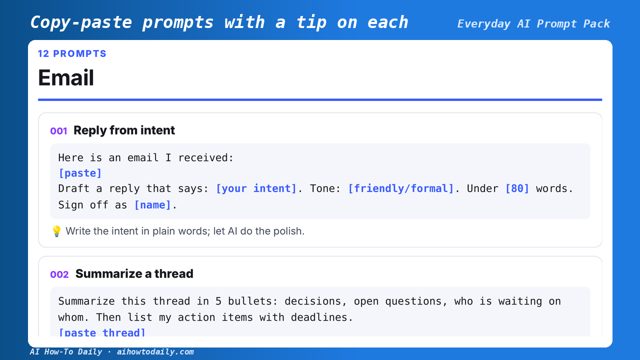
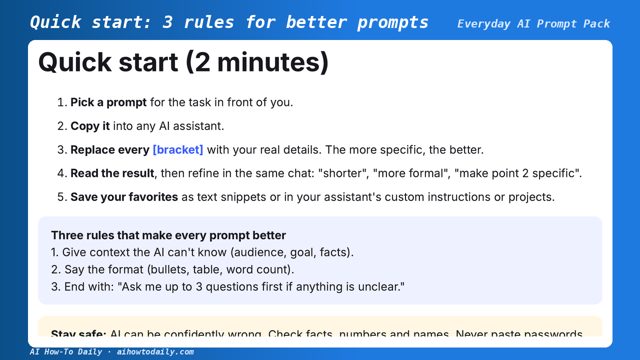
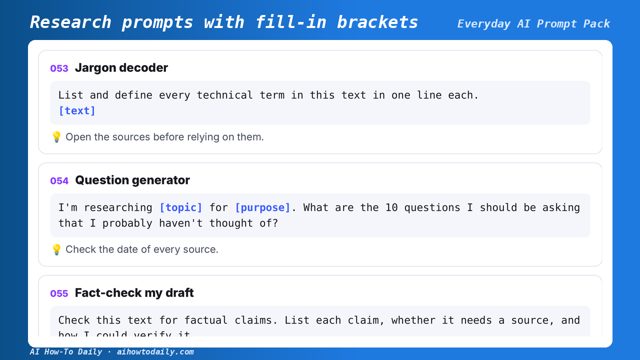
👀 Real pages from the PDF. Free 3-page sample (PDF, no email needed). The buy button opens Gumroad's secure checkout for “Everyday AI Prompt Pack: 122 Copy-Paste Prompts” ($7); the download link arrives right after you pay.
You're a student with a pile of notes, a due date and maybe a free ChatGPT, Claude, Gemini or Grok account. This guide is the practical stack: turn notes into a study guide and flashcards, take lecture notes you can revise, prep for exams, and get feedback on essays without letting the AI write the paper for you. Every prompt works in the free plans of those assistants; check your school's AI policy before you use any of them on graded work.
Want the flashcard workflow in more depth? See how to make flashcards and a study guide from your notes. Teachers planning a class: AI lesson plan guide.
Study guide and flashcards from your notes
Paste your notes or slides. Tell the AI to stick to that material so it doesn't invent facts from the open web.
Here are my notes for [course/topic], exam on [date]:
[paste notes or attach file]
Use ONLY this material. If something seems missing, list it at the end — don't fill gaps yourself.
Then: (1) a one-page study guide with 5–8 big ideas, key terms, and common confusions
(2) 25 flashcards as TAB-separated front/back lines I can import into Anki or Quizlet
Rules: one fact per card, question on the front, no yes/no cards.
Read every card before you study it. Delete or fix anything vague. For Anki: File → Import; for Quizlet: Import with Tab between term and definition. Full steps: study guide & flashcards guide.
Lecture notes you can actually revise
After class (or from a transcript), ask for a clean outline plus open questions — not a novel.
Turn these raw lecture notes / transcript into:
1) a structured outline (headings + bullets)
2) 5 key takeaways in plain English
3) terms I should look up, with a one-line definition from the notes only
4) 3 questions I still can't answer from the notes
Don't invent examples that weren't in the lecture.
[paste notes]Exam prep: quiz yourself, don't reread
Quiz me on my notes one question at a time. Mix short answer and multiple choice. Start easy, get harder.
Wait for my answer, then say if I'm right, explain briefly, and point to where it is in my notes.
After 10 questions, list the topics I got wrong and give me a 3-day review plan for those only.
My exam is on [date]; I can study [X] minutes a day.Essays: help that stays honest
Use AI for outline, gap-finding and feedback — not for a draft you submit as yours. Many schools allow study help and ban AI-written submissions; follow yours.
I'm writing an essay on [topic] for [class/level]. Thesis so far: [one sentence]. Required length: [words]. Sources I must use: [list or "I'll add them"].
Do NOT write the essay. Instead:
1) Ask me up to 5 clarifying questions about my argument
2) Propose a 5-section outline with one claim per section
3) List where I need evidence or examples
4) Flag any claim that sounds too broad or unsupported
I'll write the paragraphs myself.
Here's my draft paragraph / section:
[paste]
Give feedback only: clarity of the claim, missing evidence, weak transitions, and sentences that sound generic or AI-like. Suggest fixes in bullets — do not rewrite the whole section for me.What free tools are enough
- ChatGPT, Claude, Gemini or Grok free plans: drafting study guides, quizzes, outlines and feedback. Limits change; check each vendor's current free plan.
- NotebookLM (Google): good when you want answers grounded in files you upload, with citations back to the passage.
- Grammarly Free: spelling/grammar/tone in the apps you type in — see Grammarly vs ChatGPT. Not a substitute for your own thinking.
- Anki / Quizlet: import the tab-separated cards the AI drafts; you still verify every card.
School policy and academic honesty
- Read your syllabus and school AI policy. If graded work must be your own writing, don't paste an AI draft and submit it.
- Prefer "outline / quiz me / find gaps" prompts over "write my paper".
- Never paste passwords, student ID numbers, or other people's private data into a consumer chatbot.
- Double-check any fact, citation or number the AI states that isn't in your notes.
New to prompting? The 5-part formula and 10 copy-paste examples make these sharper. Interview or internship next? AI job interview prep.
💰 First job offer? How to negotiate politely with AI
Build your case from real results, find a range with dated sources, write the ask and rehearse the pushback.
Student-friendly: 122 copy-paste prompts for studying, writing, sheets and everyday tasks, ready to print or keep offline. One-time $7, 30-day refund.
Get the full pack for $7 →Frequently asked questions
Is using AI to study cheating?
Using AI on your own notes to make flashcards, quizzes or study guides is usually fine, but graded work is different. Follow your school's AI policy: many allow study help and ban submitting AI-written essays. When in doubt, ask your teacher.
Can AI make flashcards from a PDF or lecture slides?
Yes. Upload or paste the material and ask for tab-separated front/back cards you can import into Anki or Quizlet. Tell it to use only that material. Always read every card before you study — AI can misread or invent details.
What's the best free AI for students?
A free general assistant (ChatGPT, Claude, Gemini or Grok) covers most study tasks if your prompts are clear. NotebookLM helps when you want answers grounded in files you upload. Grammarly Free can catch typos. Limits and features change, so check each plan.
How do I use ChatGPT for an essay without cheating?
Ask it to interview you, propose an outline, find gaps and give feedback on your draft — not to write the essay. Write the paragraphs yourself, keep your sources, and follow your class rules. See the honesty prompts in this guide.
Can AI help me prepare for an exam?
Yes. Paste your notes, ask for a one-page study guide, then a quiz one question at a time with feedback, then a short review plan for the topics you missed. Retrieval practice beats rereading.
Should I buy a prompt pack as a student?
Only if you want 122 offline, organized prompts beyond the free guides. Our Everyday AI Prompt Pack is $7 with a 30-day refund; every guide on this site stays free. Start with the prompts above and the free starter sheet.
Quick tips on this topic
🎁 Get all 159 copy-paste prompts free
Every prompt from our guides and tips on one page, for email, spreadsheets, meetings, automation and more. Fill in the brackets and paste.