How to write a holiday out-of-office message with AI
Use ChatGPT, Claude, Gemini or Grok to write a clear holiday out-of-office reply (return date, backup contact, urgent route), internal and client versions, lighter versions and a handover note.
Holiday emails, handovers and the back-to-work inbox: 122 copy-paste prompts organized by task, ready to print or keep offline. One-time $7, 30-day refund.
Get the full pack for $7 →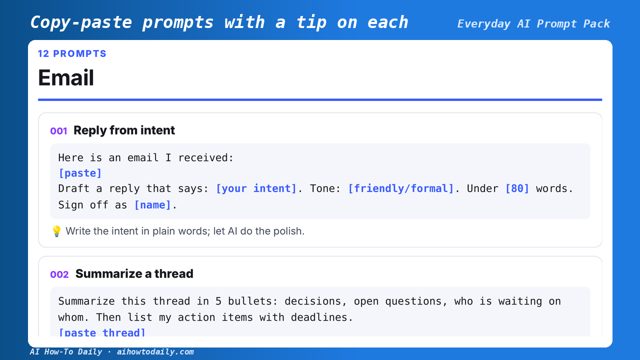
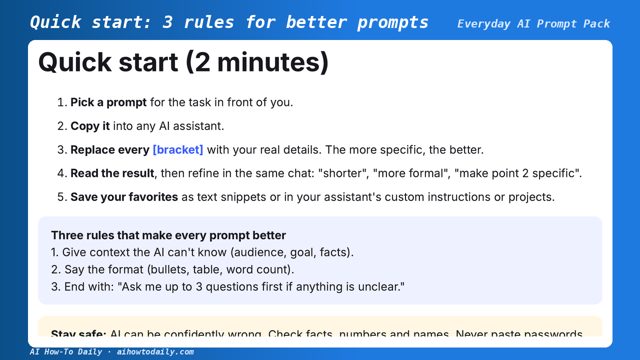
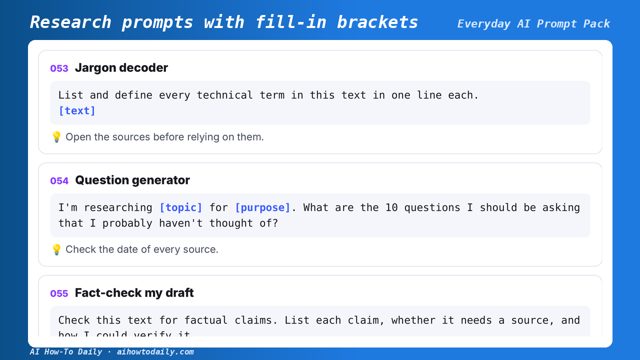
👀 Real pages from the PDF. Free 3-page sample (PDF, no email needed). The buy button opens Gumroad's secure checkout for “Everyday AI Prompt Pack: 122 Copy-Paste Prompts” ($7); the download link arrives right after you pay.
A good holiday out-of-office reply answers three things in a few lines: when you're back, who can help in the meantime, and whether the person should do anything now. AI writes those in seconds and can make versions for clients, coworkers and your personal email. What it can't know is your real dates, your backup's name and what's actually urgent, so you give it those.
Clearing the inbox before you go? See how to get to inbox zero with AI.
Collect the facts first
- Your last working day and the day you're back (the exact date, not "after the holidays").
- Who covers for you, with the email address they want people to use, and their OK to be named.
- What counts as urgent and where urgent things should go.
- Whether you'll check email at all. Be honest: "limited access" sets an expectation you then have to meet.
Write a holiday out-of-office reply.
I'm away from [first day off] and back on [return date, weekday + date].
During that time contact [name, role, email] for [what they can help with]. For urgent [billing / outages / orders], [what to do].
I [will not / will occasionally] check email.
Tone: [warm and professional / friendly / formal]. Keep it under 80 words.
Don't mention which holiday unless I ask; use 'the holidays' or 'a break'. Give me 3 versions.Make versions for different senders
Many email apps (Outlook and Gmail among them) let you send a different reply to people inside your company and outside it, or only to your contacts. Check your app's automatic-reply settings for the options you have.
Using the reply we just wrote, make two versions:
1) Internal (coworkers): shorter, can mention project names and the shared channel [name].
2) External (clients, vendors): no internal names or project details, just the backup contact and the return date.Short, funny or seasonal versions
Give me 5 lighter versions of my out-of-office reply for [workplace type], each still under 60 words
and each still clearly stating: back on [date], contact [name/email] for anything urgent. No jokes that could land badly with a client.
Keep humour for internal replies or a workplace where it fits. With clients, clear beats clever.
The handover note that makes the auto-reply true
I'm out from [date] to [date]. Turn these notes into a one-page handover for [backup name]:
[paste open projects, deadlines, waiting-on items, logins they already have access to, who to call].
Sections: due while I'm out, waiting on others, what can wait until I'm back, contacts. Bullet points.
Never paste passwords into a chatbot or a handover doc; share access through your company's normal tools instead.
Before you leave
- Send yourself a test email from another address to see the reply exactly as others will.
- Set an end date if your app supports it, so the reply turns off on its own.
- Update your calendar and status message to match.
- On your first day back, ask AI to sort the pile: see inbox zero with AI.
📥 Back from the break?
Sort, summarise and reply to a holiday inbox in under an hour.
📦 Before you sign off: holiday shipping deadlines
USPS 2026: Dec 17 Ground Advantage, Dec 18 Priority Mail, Dec 9 international. Turn your list into a dated plan.
💌 Covering for a colleague who lost someone?
How to write a short, sincere condolence email, and what to leave out.
📝 Before you log off for the year: your self-evaluation
Brag list, impact statements, honest areas to improve and next year's goals, with prompts that don't invent results.
Holiday emails, handovers and the back-to-work inbox: 122 copy-paste prompts organized by task, ready to print or keep offline. One-time $7, 30-day refund.
Get the full pack for $7 →Frequently asked questions
What should a holiday out-of-office message say?
Three things: the date you're back, who to contact while you're away (name and email), and what to do if it's urgent. Keep it under about 80 words and skip anything you can't promise, like checking email daily.
Should I mention the holiday by name?
Usually 'the holidays' or 'a short break' is safer, especially for client-facing replies, since not everyone celebrates the same holidays. Internally, do whatever fits your team.
Can I have different out-of-office replies for coworkers and clients?
Many email apps, including Outlook and Gmail in some setups, let you choose who gets the auto-reply or send a separate one outside your organisation. Check your app's automatic-reply settings; ask AI to write both versions.
Is it OK to use a funny out-of-office message?
For coworkers in a relaxed workplace, sure. For clients, keep it clear and polite. Whatever the tone, the return date and backup contact must be easy to find.
Is it safe to use AI for this?
Yes, as long as you don't paste passwords, client data or confidential project details. Give the AI only the dates, names and contact you'd put in the reply anyway.
Quick tips on this topic
⚡ Out-of-office in 3 facts
Return date, backup contact, urgent route. Nothing else needed.
🎁 Get all 159 copy-paste prompts free
Every prompt from our guides and tips on one page, for email, spreadsheets, meetings, automation and more. Fill in the brackets and paste.