How to update your LinkedIn profile with AI (headline, About, experience)
Use ChatGPT, Claude, Gemini or Grok to write a LinkedIn headline, About section and results-first experience bullets from your real resume and a target job post — without inventing skills or numbers.
In this guide (7 steps)
- Gather what the AI needs (5 minutes)
- Write a headline that says role + who you help + proof
- Draft an About section people actually read
- Turn job duties into results in the Experience section
- Skills, Featured and the small fields recruiters filter by
- Ask for recommendations without making it awkward
- Job hunting in November and December
Updating LinkedIn is step one; the bundle covers the rest of the job hunt: the 35-page AI Job Search Kit (resume-bullet builder, interview story bank, offer planner), an application-tracker spreadsheet, 8 email templates, 40 job-search prompts, plus the 28-page Everyday AI Prompt Pack (122 prompts). $16 if bought separately. Instant Gumroad download, 30-day refund.
Get the Career Bundle: AI Job Search Kit + 122-Prompt Pack, $12 ($7.20 with LAUNCH40) →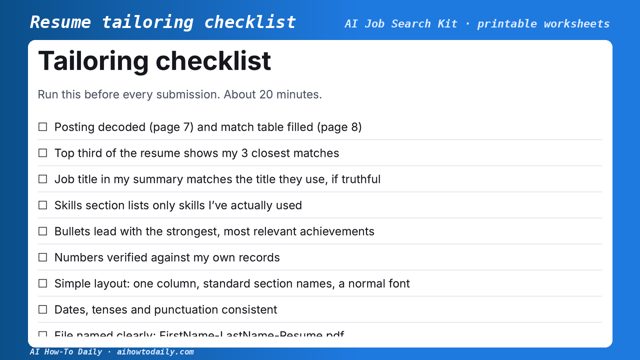
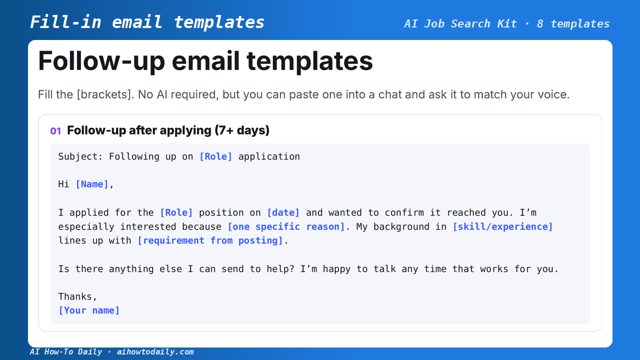
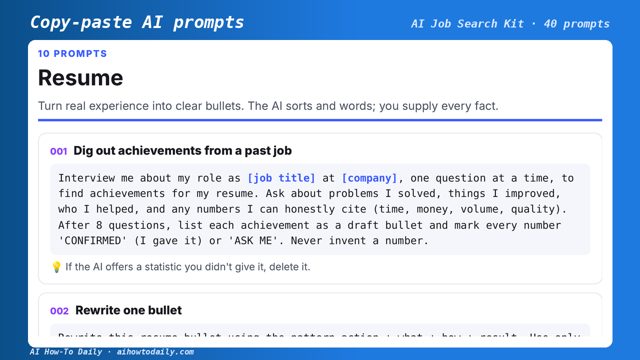
👀 Real pages from the PDF. Free 4-page sample (PDF, no email needed). The buy button opens Gumroad's secure checkout for “Career Bundle: AI Job Search Kit + 122-Prompt Pack” ($12); the download link arrives right after you pay.
Launch price: 40% off with code LAUNCH40 ($7.20, was $12) through Nov 30.
Recruiters and hiring managers often look you up on LinkedIn after (or before) they read your resume, so the profile should tell the same story in fewer words. AI is good at turning your resume and a target job into a sharper headline, a readable About section and results-first experience bullets. It's bad at knowing what you actually did, so every number and claim has to come from you.
Start from a resume you trust: see how to tailor a resume and cover letter with AI. Interviews lined up? See how to prepare for a job interview with AI.
Gather what the AI needs (5 minutes)
- Your current resume (remove your phone number, home address and anything you wouldn't post publicly).
- One or two job posts for the role you want next. These tell the AI which words recruiters search for.
- Three results you're proud of, with real numbers if you have them (time saved, money, customers, projects shipped).
- How you want to come across: formal, friendly, technical, creative.
I'm updating my LinkedIn profile. Target role: [job title] in [industry / location / remote].
Here is my resume: [paste, with phone and address removed]
Here are 1-2 job posts I'm aiming for: [paste]
Three results I'm proud of: [list, with real numbers only]
First, list the 10 skills and keywords that appear in the job posts AND are supported by my resume.
Then list any keywords from the posts I can't honestly claim yet. Don't write anything else until I reply.
The second list matters: it keeps the AI from slipping skills you don't have into your profile, and shows you what to learn or leave out.
Write a headline that says role + who you help + proof
LinkedIn gives the headline up to 220 characters, but search results and comments usually show only the start, so put your role and main keyword first.
Write 5 LinkedIn headlines for me, each under 220 characters.
Start each with my target role or current title, then who I help or what I'm known for, then one proof point from my results.
Use plain words and the keywords we agreed on. No emojis, no "guru/ninja/rockstar", no claims I didn't give you.
Pick one, then read it as a stranger would: would they know what job you want in the first five or six words? If you're open to new roles, saying so in the headline is fine (for example "Open to project manager roles"), but only if you're comfortable with your current employer seeing it.
Draft an About section people actually read
The About section allows up to 2,600 characters, but only the first few lines show before "see more". Open with who you are and what you do best, not with "I am a passionate professional".
Write my LinkedIn About section, 150-250 words, first person, in a [tone] voice.
Line 1-2: what I do and for whom (this shows before "see more").
Middle: 2-3 short paragraphs or bullets using my real results and the agreed keywords.
End: what I'm looking for next and how to reach me ("message me here" is fine).
Don't invent employers, dates, numbers or certifications. Mark anything you're unsure of with [CHECK].
Read it out loud. If a sentence sounds like a brochure, ask: "Rewrite this paragraph the way I'd say it to a friend in the same field."
Turn job duties into results in the Experience section
Each role's description has room for about 2,000 characters. Three to five bullets that start with a verb and end with a result are easier to skim than a paragraph of duties.
Here's my current Experience entry for [job title, company, dates]: [paste].
Rewrite it as 3-5 bullets. Each bullet: action verb + what I did + result.
Use numbers ONLY where I've given them; where a number would help but I didn't give one, write [add number?].
Keep the company's confidential details out (client names, revenue, internal tools) unless I say they're public.
Fill in each [add number?] with something you can stand behind, or delete it. Rough but honest ("about 20 clients a month") beats precise and made up.
Skills, Featured and the small fields recruiters filter by
- Skills: add the skills from your first keyword list that you can talk about in an interview. Put the most relevant ones first.
- Featured: pin one or two things that prove your work: a portfolio, a project write-up, a presentation or an article.
- Location and job preferences: set the city or remote preference you actually want. LinkedIn's Open to Work setting lets you choose whether only recruiters or all members can see it; check its current wording before you turn it on.
- Photo and banner: a clear, recent photo of your face. Skip AI-generated headshots that don't look like you; it gets awkward on the first video call.
Ask for recommendations without making it awkward
Write a short LinkedIn message asking [name], my former [manager / coworker / client], for a recommendation.
Remind them of one specific project we did together: [project].
Offer to write one for them too, and make it easy to say no. Under 80 words, warm and direct.
When you write one for someone else, see how to write a recommendation letter with AI; the same "specific project + real result" rule applies.
Job hunting in November and December
Hiring often slows around Thanksgiving (Nov 26 this year) and the end-of-year holidays, and replies can take longer while managers are out. That makes it a good time to fix your profile, line up recommendations and keep a tracker of every application and follow-up, so you're ready when January hiring picks up. Got an interview? Send a thank-you email within a day.
📄 Tailor the resume to each job
Match the job post with your real experience, then a cover letter that isn't generic.
📝 Review season: turn your year into a self-evaluation
Brag list, impact statements, honest areas to improve and next year's goals, with prompts that don't invent results.
A 35-page printable PDF (resume-bullet builder, job-posting decoder, cover-letter planner, interview story bank, offer comparison and negotiation planner), an application-tracker spreadsheet for Excel or Google Sheets, fill-in email templates and 40 copy-paste AI prompts that tell the AI to ask you for facts instead of inventing them. It will not get you hired by itself, and AI can be wrong, so check every fact. One-time $9, 30-day refund. Save $4: get both for $12 with the Career Bundle: AI Job Search Kit + 122-Prompt Pack, which adds our 122-prompt Everyday AI Prompt Pack ($7 on its own).
Get the job search kit for $9 →Launch price: 40% off with code LAUNCH40 ($7.20, was $12) through Nov 30.
Frequently asked questions
Is it OK to use ChatGPT to write my LinkedIn profile?
Yes, as a drafting helper. Give it your real resume, a target job post and your actual results, ask for drafts, then edit them into your own voice. Don't let it add skills, employers or numbers you can't back up, because recruiters and interviewers will ask about them.
How long can a LinkedIn headline be?
Up to 220 characters. Search results, comments and connection requests usually show only the first part, so put your role and main keyword at the start and the extra detail after.
How long should my LinkedIn About section be?
The limit is 2,600 characters, but 150–250 words is usually enough. Make the first two lines count, since that's all people see before "see more".
Should my LinkedIn match my resume exactly?
The facts should match: titles, employers and dates. The wording can differ. LinkedIn is usually shorter, a bit more personal and written in the first person, while the resume is tailored to each job.
How do I show I'm open to work without my boss noticing?
LinkedIn's Open to Work setting lets you pick who sees it, including a recruiters-only option. LinkedIn doesn't promise it will hide this from everyone at your company, so if that would be a problem, leave it off and update your headline and skills quietly instead.
What keywords should I put on LinkedIn?
The ones that show up in job posts for the role you want and that your experience genuinely supports. Paste 1–2 posts and your resume into the AI and ask for the overlap, plus a list of keywords you can't claim yet.
Quick tips on this topic
⚡ LinkedIn keywords you can actually claim
Paste a job post and your resume; ask for the overlapping keywords AND the ones you can't claim yet.
⚡ Headline in 220 characters
Role first, then who you help, then one real proof point.
🎁 Get all 159 copy-paste prompts free
Every prompt from our guides and tips on one page, for email, spreadsheets, meetings, automation and more. Fill in the brackets and paste.